Troubleshooting & FAQ
Note
The installer is currently not signed with a certificate, which is why Windows shows these warnings. The full backend source code is available on GitHub, and you can build the installer yourself if you prefer to verify it locally. Only run installers obtained from a trusted source (such as the official GitHub releases page).
SmartScreen warning about the installer
When you run the installer, Windows Defender SmartScreen may show a warning with a Run anyway option available.
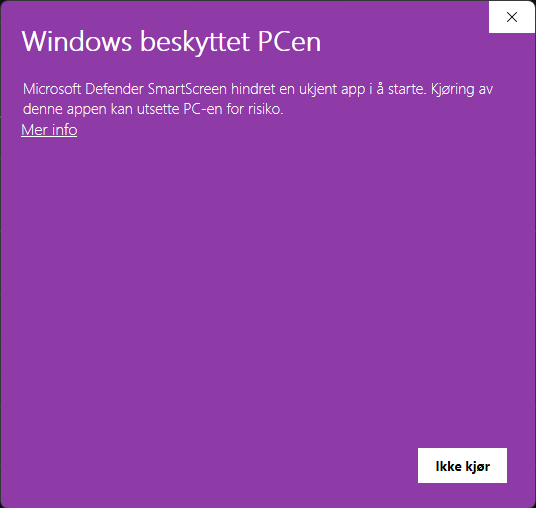
You can bypass this warning by clicking More info.
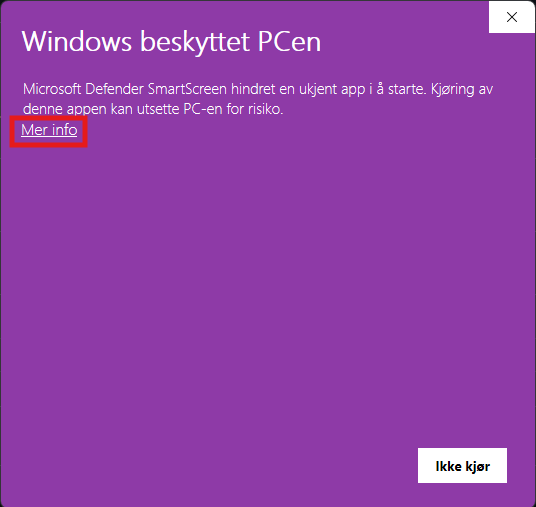
And then click Run anyway.
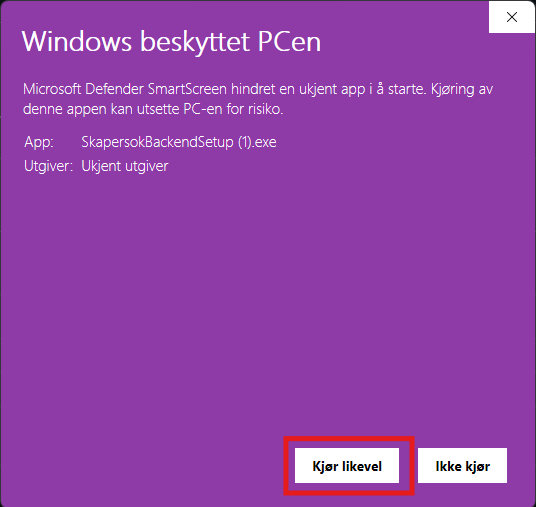
SmartScreen blocking the installer
In some cases SmartScreen blocks the installer outright, with no Run anyway option shown.
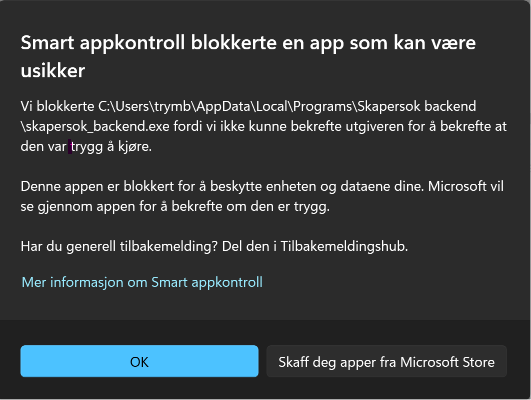
If this happens, you can unblock the file specifically by following these steps:
- Right-click the installer file and select Properties.
- On the General tab, check the Unblock box near the bottom (under Security).
- Click OK, then run the installer again.
This removes the "downloaded from the internet" flag from just this file, so you don't need to lower SmartScreen protection for your whole system.