The Crate
In Skapersøk, everything is a crate. Whether it's a room, a cabinet, a toolbox, or a tiny plastic bin holding a single resistor, the system treats it as a crate.
This makes the system incredibly flexible. You can place a crate inside another crate, creating a deeply nested tree structure that matches the physical world.
The Hierarchy
Think of your inventory like folders on a computer:
Root
|-- Workshop (Crate)
|   |-- Cabinet 1 (Crate)
|   |   `-- Cables Box (Crate)
|   `-- Workbench (Crate)
`-- Spare parts (Crate)
Each crate has a parent (except for the root) and can contain multiple child crates.
Properties of a Crate
Every crate shares the same set of properties, even if its real-world "purpose" is different.
- Name: A descriptive name for the crate (e.g., "M3 Screws" or "Workshop").
- Placement Code: A unique identifier that describes the crate's exact location in the tree. Read more about Placement Codes.
- Description: Additional details about the crate's contents or purpose.
- Keywords: Extra search terms to help you find the crate easily.
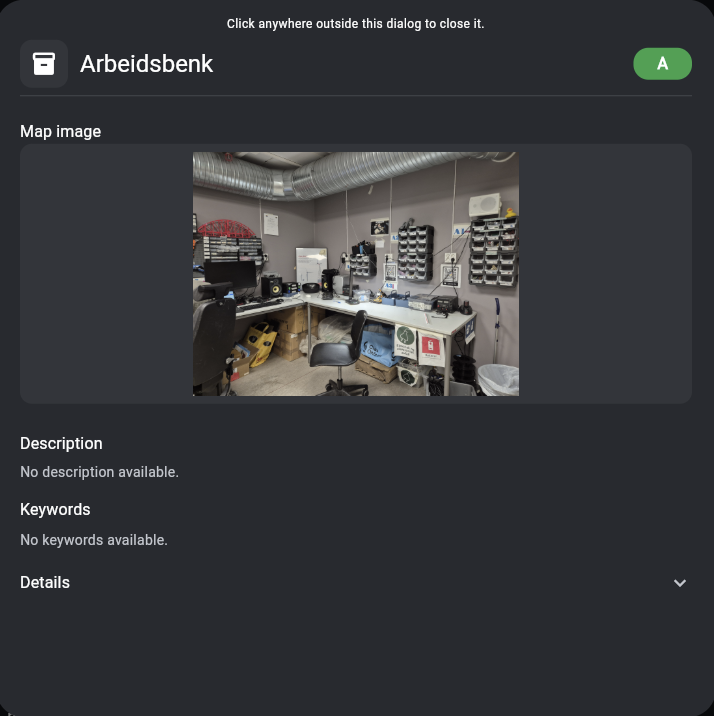
- Layouts & Maps: A crate can have a map image showing what it looks like (e.g., a photo of a shelf). Child crates can then be positioned on this map. Read more about Maps & Layouts.
Tip
Because everything is a crate, you don't have to worry about creating different "types" of items. If you want to group a bunch of loose items, just create a new crate for them!
Example of a crate Arbeidsbenkwith a placementcode of A: